Artificial intelligence is quietly reshaping the food industry, from recipe development and food-cost analysis to marketing, reviews, and reservation management. Whether you run a fine-dining restaurant, a neighbourhood café, or a food truck, the right AI tools can save hours of admin every week and help you cook, serve, and sell better. Here are the seven best AI tools for chefs and restaurants to try in 2026.
How we chose these tools
We looked for tools that solve real restaurant problems: menu planning, food costing, photography and marketing, guest reviews, reservations, and food waste. Each pick is widely available, genuinely useful in a kitchen or front-of-house setting, and suitable for independent operators as well as larger teams. Note that many of these tools offer a free tier alongside paid plans — features and pricing change often, so always check current pricing on the provider’s website before committing.
1. ChatGPT — Your AI sous-chef for recipes, menus, and training
ChatGPT is the most versatile AI tool a chef can put to work. Give it your pantry, a cuisine style, and a target food-cost percentage, and it will draft seasonal menu ideas, recipe concepts, and plating suggestions in seconds. It can also rewrite menu descriptions to sound more appetising, generate allergen and dietary notes, and produce staff training documents, shift briefings, and SOPs.
Where it really shines for restaurants is the boring-but-critical paperwork: standardised recipe cards, prep lists, and costing worksheets. Paste in your ingredient list and portion yields, and it can estimate food costs and flag the highest-margin dishes. It won’t replace tasting and experience — always test recipes in the kitchen — but it removes hours of blank-page work.
- Best for: Menu writing, recipe ideation, staff training materials, costing drafts
- Pricing: Free tier available; paid plans available — check current pricing

2. Canva AI (Magic Studio) — Professional menus and marketing in minutes
Great food deserves great visuals, and Canva’s AI-powered Magic Studio puts design within reach of any restaurant team. Use it to design printed and QR-code menus, table tents, loyalty cards, delivery-app banners, and social posts — all from a phone or laptop, with no graphic designer on retainer.
The AI features that matter most for restaurants are background removal for food photos, Magic Expand for reformatting images to different sizes, and text-to-image generation for filler graphics and promotional art. Brand-kit features keep your colours, fonts, and logo consistent across everything from the takeaway bag to the Instagram grid.
- Best for: Menu design, social media, in-store signage, delivery-app graphics
- Pricing: Free tier available; paid plans available — check current pricing
3. Midjourney (AI image generators) — Appetising food photography on demand
Professional food photography is expensive, but delivery apps, websites, and social feeds are visual-first. AI image generators like Midjourney can create realistic food shots, seasonal campaign imagery, and menu mock-ups for a fraction of the cost. Many restaurants use them to visualise new dishes before a photoshoot, or to generate background and lifestyle imagery for marketing.
A word of honesty: AI-generated food images should never replace real photos of your actual dishes on your menu — guests notice. Use them for atmosphere, promotions, concept testing, and content ideas, and hire a photographer for the core menu shots.
- Best for: Marketing imagery, dish concepts, social content ideas
- Pricing: Paid plans available — check current pricing
4. Leanpath — AI food-waste tracking that protects your margins
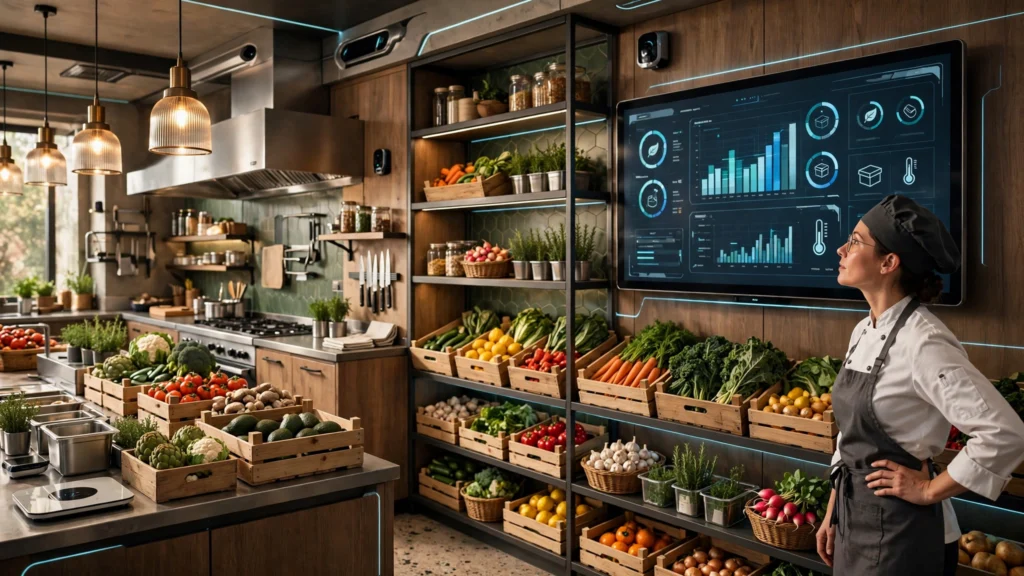
Food waste silently eats 2–10% of restaurant revenue. Leanpath combines smart scales and cameras with AI to automatically track what your kitchen throws away, categorise it, and show you exactly where money is being lost — over-portioned prep, spoilage, trimmings, and plate waste.
The AI identifies patterns a busy chef would never spot: which menu items generate the most waste, which suppliers’ produce spoils fastest, and how waste changes by day and shift. Many kitchens cut food waste by a meaningful percentage within months, which goes straight to the bottom line.
- Best for: Multi-unit operators and high-volume kitchens serious about food cost
- Pricing: Paid plans available — check current pricing
5. AI review-response platforms — Manage your reputation on autopilot
Google, TripAdvisor, and delivery-app reviews directly drive foot traffic, but responding to every review is a time sink. AI review-management platforms (such as Birdeye-style review tools) monitor your reviews across sites and draft personalised, on-brand responses — for glowing reviews and angry ones alike.
You stay in control: review and approve each reply before it posts. The AI learns your tone of voice and your standard policies (allergen handling, refund rules, booking changes), so responses sound like you on your best day. Consistent, fast review replies are one of the highest-ROI habits a restaurant can build.
- Best for: Review monitoring and fast, consistent replies across platforms
- Pricing: Free tier or trial often available; paid plans available — check current pricing
6. Toast (AI-powered POS) — Smarter operations from sales data you’re already collecting
Your point-of-sale system already records everything: what sells, when, with what, and at which margins. AI-powered POS platforms like Toast turn that data into decisions — demand forecasting for prep and staffing, menu engineering reports that rank dishes by profitability, and automated insights into labour costs versus sales.
For chefs, the practical wins are concrete: prep lists informed by actual sales patterns, alerts when a high-margin item dips in popularity, and integrated online ordering and delivery management that keeps third-party chaos in one dashboard. If you’re still on a legacy till, this category alone is worth the upgrade.
- Best for: Demand forecasting, menu engineering, staffing and labour insights
- Pricing: Paid plans available — check current pricing
7. SevenRooms — AI-assisted reservations, seating, and guest data
SevenRooms uses AI to optimise the front of house: smarter table assignments, waitlist management that predicts turn times, and guest profiles that remember preferences, allergies, and special occasions. The result is more covers per service without the frantic energy.
For restaurants that live on reservations, the guest-data side is the real prize. AI surfaces your regulars, flags VIPs, and helps you personalise service — remembering that a guest is gluten-free and celebrating an anniversary is what turns a good dinner into a five-star review.
- Best for: Reservation management, seating optimisation, guest personalisation
- Pricing: Paid plans available — check current pricing
Comparison: the 7 tools at a glance
| Tool | Main use for restaurants | Best suited for | Pricing |
|---|---|---|---|
| ChatGPT | Menus, recipes, costing, training | Chefs and managers | Free tier; paid plans |
| Canva AI | Menu design, social, signage | All restaurants | Free tier; paid plans |
| Midjourney | Marketing imagery, concepts | Marketing teams | Paid plans |
| Leanpath | Food-waste tracking | High-volume kitchens | Paid plans |
| AI review platforms | Review replies | Customer-facing teams | Free tier; paid plans |
| Toast | POS analytics, forecasting | Operators and owners | Paid plans |
| SevenRooms | Reservations and seating | Front of house | Paid plans |
How to introduce AI in your kitchen: a 5-step plan
- Pick one pain point. Don’t buy five tools at once. If menu writing eats your Sundays, start with an AI writing assistant. If reviews go unanswered, start with review management.
- Run a 30-day pilot. Give one tool a real trial during normal service — not a quiet week — and measure something concrete, like hours saved or response time.
- Train the team briefly. Ten minutes of showing staff what the tool does (and what it must never do, like publish unreviewed menu prices) prevents most mistakes.
- Keep humans in charge of taste. AI drafts, humans decide. No recipe, menu description, or guest reply should go out without a person who knows your standards approving it.
- Review quarterly. AI features change fast. Re-check pricing and features every few months, and drop tools that no longer earn their keep.
Practical AI use cases for small restaurants
Weekly menu planning
Feed an AI assistant your seasonal produce list, slow-moving inventory, and target food cost, and it will propose a weekly menu that uses up stock before it spoils. This one workflow can cut both waste and the Sunday-evening menu-planning headache.
Social media without a marketing hire
Pair an AI image generator with a design tool and you can produce a week’s worth of social content in an afternoon: daily specials graphics, behind-the-scenes posts, and holiday promotions — all on brand.
Staff onboarding
Turn your head chef’s knowledge into training material: use AI to draft allergen guides, station checklists, and service scripts from rough notes, then have your senior team review and correct them. If you run a small business with a lean team, this documentation pays for itself the first time someone calls in sick.
FAQ
Can AI really help with recipe development?
Yes — as a starting point. AI is excellent at generating recipe concepts, flavour pairings, and variations from a set of constraints (seasonal ingredients, dietary needs, target cost). But it cannot taste. Every AI-generated recipe needs testing, adjusting, and signing off by a real chef before it reaches a guest.
Will AI tools replace kitchen staff?
No. These tools replace paperwork, not people. They handle menus, costing, marketing, and reviews — the admin that pulls chefs and managers away from the pass. Cooking, tasting, and hospitality remain firmly human jobs.
Are AI tools affordable for small restaurants?
Many are. Several tools on this list offer free tiers, and even paid plans are typically far cheaper than the labour hours they save. Start with one tool, measure the time it saves, and expand only when the numbers make sense. Remember that pricing changes often, so check current pricing before you sign up.
How do I keep AI-generated content on brand?
Give the AI examples: paste in your existing menu descriptions, your best review replies, and your brand guidelines. Review everything before publishing, and build a short style note (tone, banned phrases, price formatting) that you reuse in every prompt.
Is it safe to let AI reply to customer reviews?
Yes, with supervision. Let AI draft responses, then approve or edit each one before posting — especially for negative reviews, which need empathy and sometimes an offline follow-up. Never let an AI promise refunds or policy exceptions you haven’t approved.
The bottom line
AI won’t cook your signature dish, but it will give you back the hours to cook it better. Start with the one tool that solves your biggest headache — whether that’s menu planning, food waste, or unanswered reviews — and build from there. The restaurants thriving in 2026 aren’t the ones with the most technology; they’re the ones using the right tools to serve guests better.